Our Happy
Authors


A Comprehensive Guide for Authors
Publishing an illustrated children's book on Amazon KDP is straightforward, but meeting Amazon's technical requirements is essential for a professional result. Unlike text-only books, children's picture books must follow specific standards for trim size, bleed, illustrations, interior PDFs, cover files, and print quality before they are ready for publication.
This complete Amazon KDP checklist explains the key requirements for illustrated children's books, helping you prepare files correctly, avoid common submission mistakes, and produce a book that prints as intended.
If you're looking for a step-by-step guide on how to publish a children's book on Amazon, this checklist walks you through the KDP-specific requirements from file preparation to final proof review.
Amazon Kindle Direct Publishing (KDP) is more than a file upload platform. It is Amazon's print-on-demand and digital publishing system with specific technical requirements for illustrated children's books. Before you publish a children's book on Amazon, it is important to understand how KDP processes your files, prints your book, and displays different formats.
One of the first things to understand is the difference between print books and eBooks. Unlike novels that use reflowable text, illustrated children's books usually require fixed-layout formatting so that every illustration and text element remains exactly where it was designed. This ensures that page layouts remain consistent across different devices and in print.
When preparing your book for Amazon KDP, it is important to understand the difference between print files and eBook files:
Image quality is another critical requirement. Amazon KDP prints exactly what you upload, so low-quality artwork cannot be corrected during production.
Illustrated children's books also require careful page construction using bleed, safe zones, and gutter spacing.
The cover must also meet Amazon's exact specifications. KDP automatically calculates the spine width based on page count and paper type, so the cover template should always be generated after these details have been finalised.
Because Amazon KDP uses print-on-demand technology, every copy is printed directly from the files you upload.
This makes careful file preparation essential. Even small formatting mistakes can appear in every printed copy, which is why ordering a proof copy before publishing is strongly recommended.
Before uploading to Amazon KDP, most illustrated children's books should go through the following technical preparation:
Although Amazon KDP makes self-publishing accessible, it does not correct technical problems in your files. Careful preparation before uploading helps prevent printing issues, rejected files, and unnecessary revisions.
Understanding these Amazon KDP requirements before uploading your files helps ensure your illustrated children's book meets Amazon's technical standards, prints correctly, and delivers the reading experience you intended.
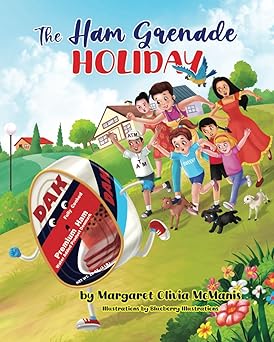
Trim size and page count are especially important in illustrated children’s books because they shape the way each scene is composed, how text fits around the artwork, and how the story flows from one spread to the next. These decisions should be made before the illustrations and interior layout are completed.
Trim size is the final width and height of the printed book. For illustrated children’s books, the format should support the visual style of the story rather than being chosen only for convenience.
The selected trim size affects every illustration in the book. If the size is changed after the artwork has been created, illustrations may need to be cropped, extended, repositioned, or redrawn to fit the new proportions.
Illustrated children’s books are usually planned in spreads, with two facing pages working together as one visual scene. The page count should therefore be considered as part of the storytelling structure, not only as a technical publishing requirement.
A story that is not planned in spreads may result in crowded pages, uneven pacing, or illustrations that do not connect naturally from one page to the next.
The final page count also affects the technical preparation of the book. A change in page count can alter the spine width and the total dimensions of the cover file.
For illustrated children’s books, deciding the trim size and page count early helps maintain consistent artwork, smoother storytelling, better text placement, and fewer formatting changes later.
For a detailed comparison of children’s book formats and dimensions, read Self-Publishing Children’s Book Trim Sizes.
Once the illustrations and page layouts are complete, the interior must be assembled in the exact page order required for Amazon KDP. This stage is especially important for picture books because illustrations, text, blank pages, and facing-page scenes must remain correctly positioned after the file is uploaded.
Even when an illustration has been designed as a double-page spread, the print interior is generally prepared as individual left and right pages in reading order. The two halves will appear together when the printed book is opened.
Picture-book scenes are often designed for a specific side of the book. A character may look toward the next page, text may sit on the quieter side of a spread, or an important reveal may need to appear after a page turn. An omitted or misplaced page can reverse this arrangement.
In illustrated children’s books, text is often positioned within a specific open area of the artwork. The final KDP interior should preserve this relationship exactly.
The KDP Previewer should be used to inspect how consecutive pages work together. This is particularly important for scenes that cross the centre of the book or continue visually from one page to the next.
A layout that appears correct in the design file can change during PDF export. Before uploading the book, inspect the exported PDF rather than relying only on the original layout document.
Preparing the pages carefully helps ensure that the printed book preserves the intended sequence, spread composition, text placement, and visual storytelling of the original children’s book design.

Illustrated children’s books usually require separate files for the print and Kindle editions. A print-ready PDF is designed around a fixed trim size, bleed, margins, and physical page order, while an illustrated ebook normally requires fixed-layout formatting to preserve the relationship between the text and artwork.
The print edition should be exported as a complete interior PDF that matches the trim size, bleed setting, and page count selected in Amazon KDP.
Standard reflowable ebook formatting is usually unsuitable for picture books because text and images may move independently on different screen sizes. A fixed-layout ebook keeps each page composition intact.
Do not rely on one file for both print and ebook publication. Preparing and reviewing each edition separately helps preserve the intended page design, illustration flow, and reading experience.
The cover of an illustrated children’s book must work both as a complete print file and as a small thumbnail on Amazon. It should represent the illustration style inside the book while keeping the title, main character, and central idea easy to recognise.
For a printed book, Amazon KDP requires the back cover, spine, and front cover to be supplied as one continuous file. The total dimensions depend on the final trim size, page count, paper type, and bleed setting.
Amazon’s cover calculator generates a template showing the trim lines, bleed area, spine position, and safe zones for the selected book specifications. Design the cover using this template rather than creating the dimensions from memory.
Although children are the readers, parents, teachers, librarians, and gift buyers often make the purchasing decision. The cover should therefore be visually appealing to children while clearly communicating the subject and reading level to adults.
The spine may be very narrow in shorter picture books. Add spine text only when there is enough room for it to remain legible and safely positioned.
The back cover can include a short description, author information, or a small supporting illustration. It should remain uncluttered and visually connected to the front cover.
After uploading the cover, inspect it in the KDP Previewer and compare it with the generated template. A physical proof copy is especially useful for illustrated children’s books because colour, trimming, and spine alignment may look different in print than on screen.
A correctly prepared cover helps the book print accurately while presenting the story clearly and professionally to children, parents, teachers, and other Amazon shoppers.
Before publishing, Amazon KDP checks that your book complies with its technical and publishing requirements. Most publishing delays occur because of incorrect files, metadata, or formatting rather than problems with the story itself. Reviewing these final compliance checks helps ensure a smoother publishing process.
Make sure the uploaded files match the specifications selected in your KDP project.
The information entered during the publishing process should accurately describe your book and match the files you upload.
You should only publish content that you have the legal right to distribute.
Before clicking Publish, review every page carefully to identify any issues that may affect the reader's experience.
Completing these final compliance checks helps reduce the chances of publication delays and ensures that your illustrated children's book is ready for Amazon KDP printing and distribution.
After uploading the interior file, review every illustrated page in Amazon KDP Previewer before approving the book. Picture books require closer visual checking than text-only books because even a small shift, crop, or page-order error can affect the storytelling and the appearance of an entire spread.
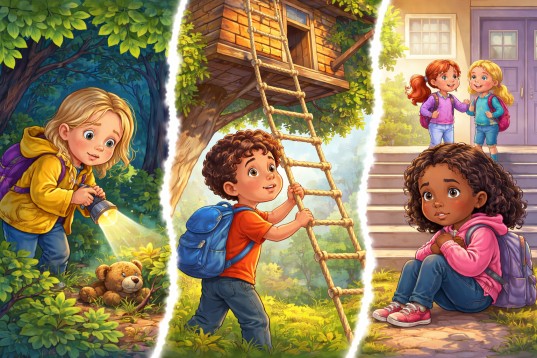
Full-page artwork may be trimmed slightly during printing. Use the Previewer to confirm that important parts of each scene remain safely inside the page.
Illustrations that continue across two facing pages should be checked as complete spreads. The left and right pages must reconnect naturally when viewed together.
In many children’s books, the story text is placed directly within the illustration. The Previewer should be used to ensure that the text remains readable and correctly positioned after export.
Inspect each illustration closely for problems that may not have been obvious in the original design file.
Children’s books often use recurring characters, clothing, and background colours. Review consecutive pages to make sure these colours remain visually consistent throughout the interior.
Do not approve the book after checking only a few sample pages. Review the complete interior in page order, including every single-page illustration, double-page spread, blank page, title page, and final page. This helps ensure that the printed children’s book preserves the intended artwork, text placement, and visual storytelling.
A digital preview can identify many layout problems, but it cannot show exactly how the finished book will look and feel in print. Ordering a physical proof copy allows you to check the illustrations, text, trimming, binding, and colour under real printing conditions.
Make any necessary corrections to the interior or cover files before approving the book for sale.
Publishing an illustrated children's book on Amazon KDP involves much more than uploading a manuscript. Choosing the correct trim size, preparing print-ready files, designing an accurate cover, reviewing every illustration, and meeting KDP's technical requirements all contribute to the quality of the finished book.
By following the checklist in this guide, you can reduce publishing delays, avoid common technical problems, and create a professional book that is ready for Amazon's print-on-demand system. Taking the time to review your files before publishing is often the difference between a smooth launch and multiple rounds of revisions.
If you would rather have experienced professionals handle the illustration, formatting, cover design, and publishing process, our team at Blueberry Illustrations provides complete children's book illustration and Amazon KDP publishing services. Whether you already have finished illustrations or are starting with only a manuscript, we can help prepare your book for successful publication.
Whether you publish independently or work with professionals, understanding Amazon KDP's requirements before uploading your files will help you produce a high-quality illustrated children's book that is ready for readers around the world.
Explore these additional guides and resources to help you write, illustrate, publish, and market your children's book successfully.
